
Social Review Posting Instructions
One big benefit of our platform is its ability to automatically post your new positive reviews online to your social media accounts. This set-up must be done by you on a computer where you can login to your social accounts.
Please follow the instructions below to set this up.
- Login to your review dashboard at https://dashboard.techreputation.com/
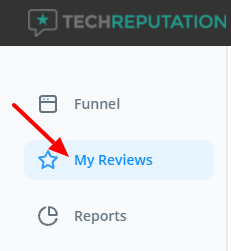
- Click "My Reviews" in the menu on the left.
- Click the Settings tab and look for the Social Media section.
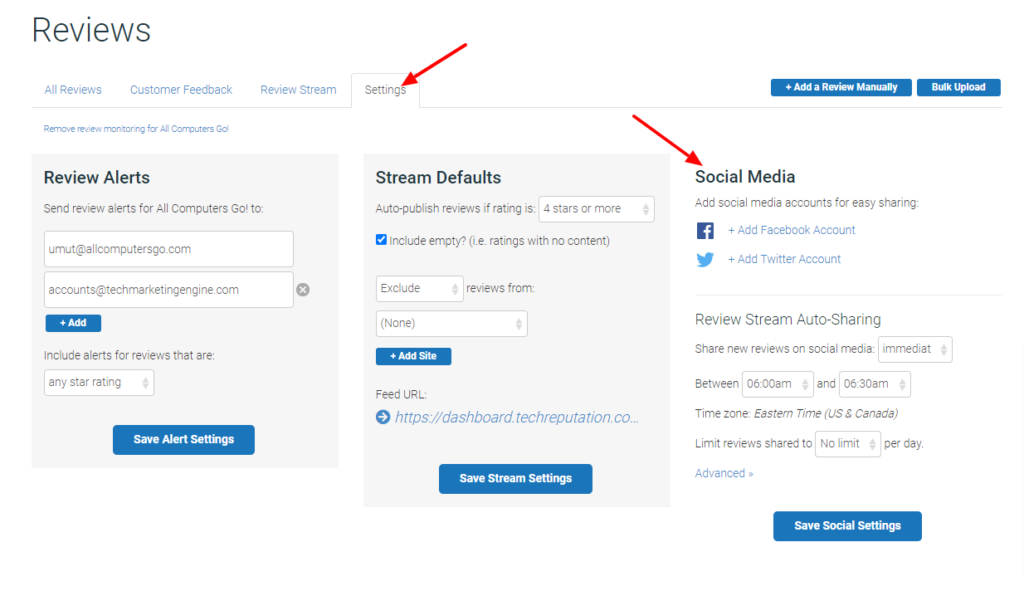
- Click Add Facebook Account and/or Add Twittter Account, and for each one you'll select your business account in the pop-up that appears.
- Adjust any of the settings that you wish, and then click "Save Social Settings".


